Copy, Rename, Delete
Copy
Tap [ ] to the right of the file name you wish to copy in the file list.
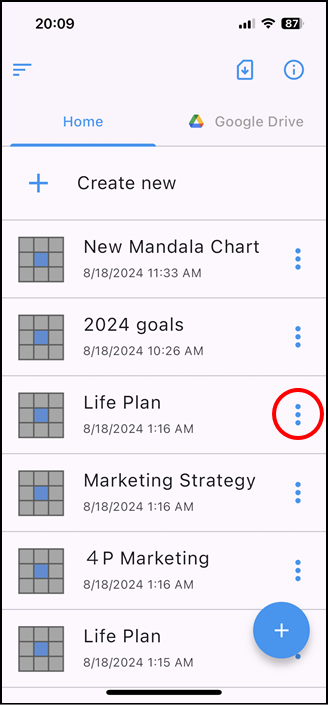
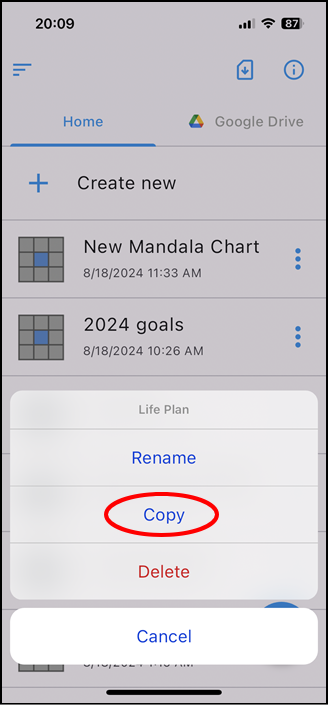
The file operation menu will be displayed, so tap "copy".
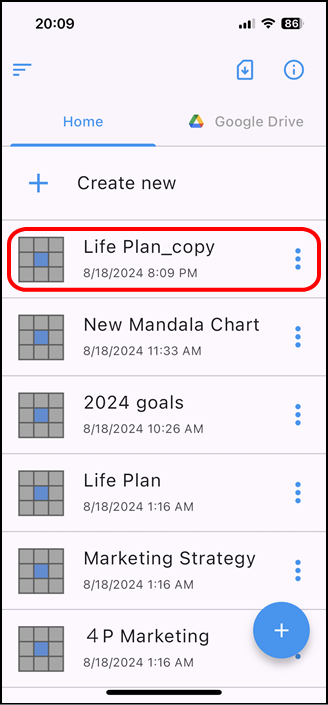
A file with "_copy" in its original name is created.
Rename
Tap [] to the right of the file name you wish to rename in the file list.
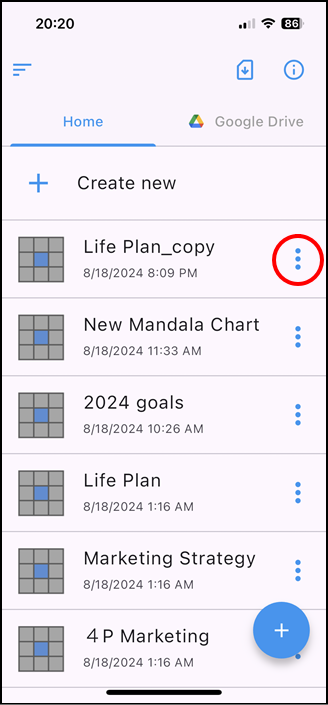
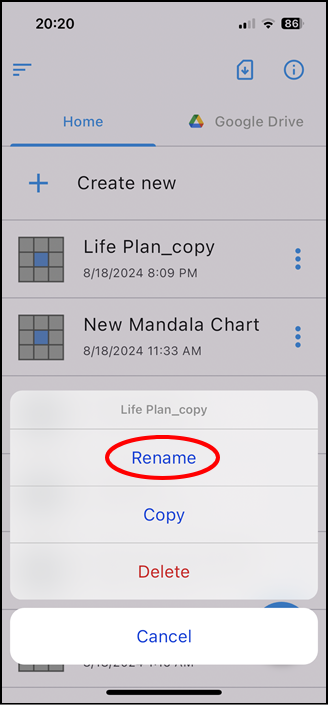
The file operation menu will be displayed, so tap "rename".
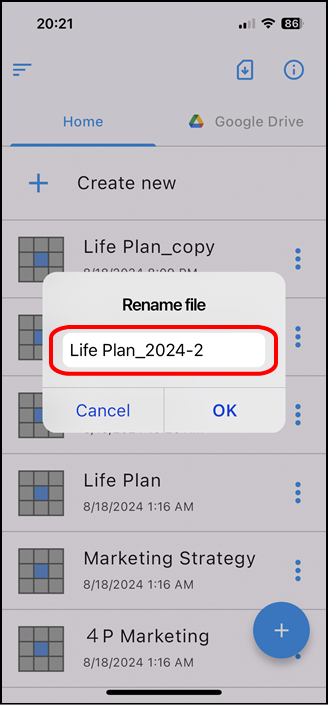
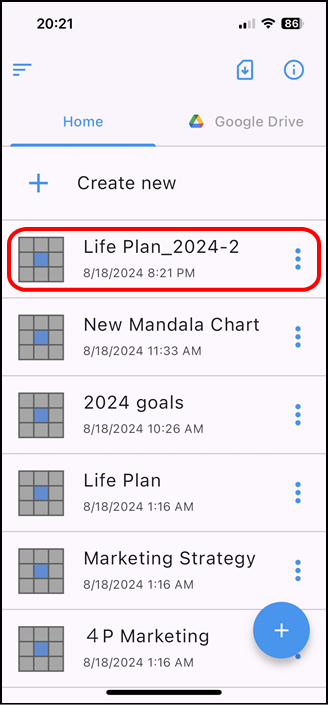
Change the name and tap OK.
Delete
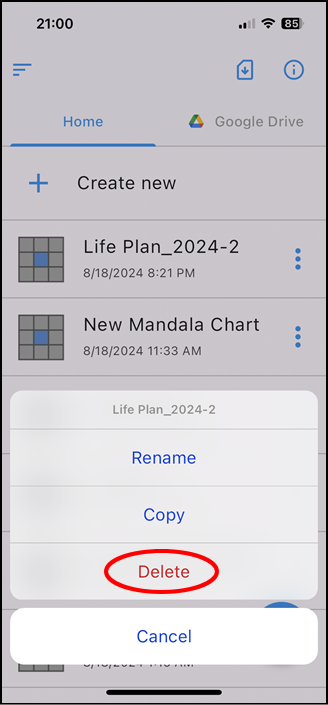
Tap [] to the right of the file name you wish to delete in the file list.
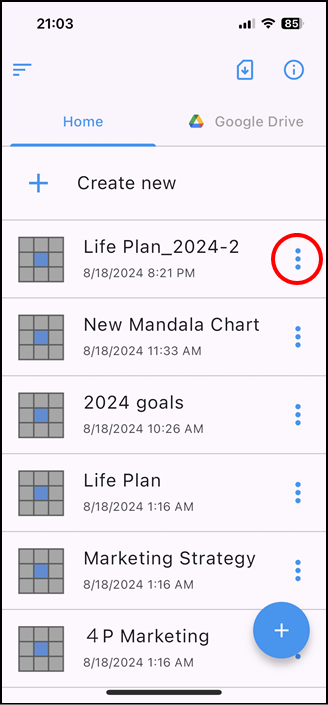
The file operation menu will be displayed, so tap "delete".
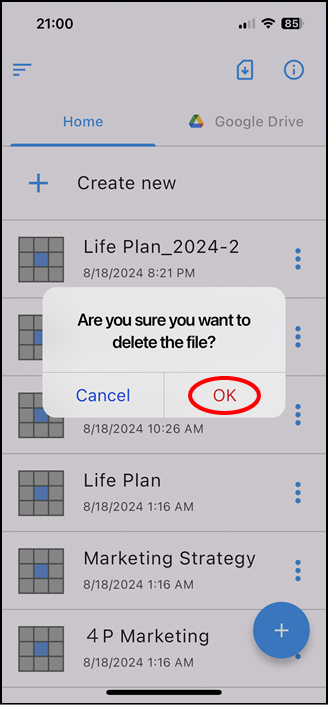
A confirmation screen will be displayed, so tap "OK" if you like.
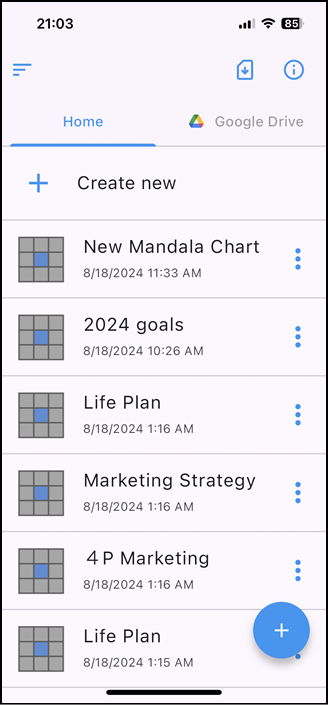
Please note that once deleted, it cannot be restored.